Find the forgotten checkouts
Choose your project folders. See Git families and their worktrees, including registered paths outside those roots.
Choose a scopeReview the checkouts taking up disk space and the work they contain, with the evidence behind each verdict.
Runs locally without a model or worktree removal.
01 / START WITH A QUESTION
Agent sessions leave checkouts behind. Examine them for local changes and work that needs to be kept.
Choose your project folders. See Git families and their worktrees, including registered paths outside those roots.
Choose a scopeMeasure worktrees and shared Git storage. Read logical and allocated sizes with their coverage and limits.
Read disk measurementsA matching commit can coexist with a local note. Check files, index and private history before judging a worktree.
Understand the evidence02 / THE REPORT
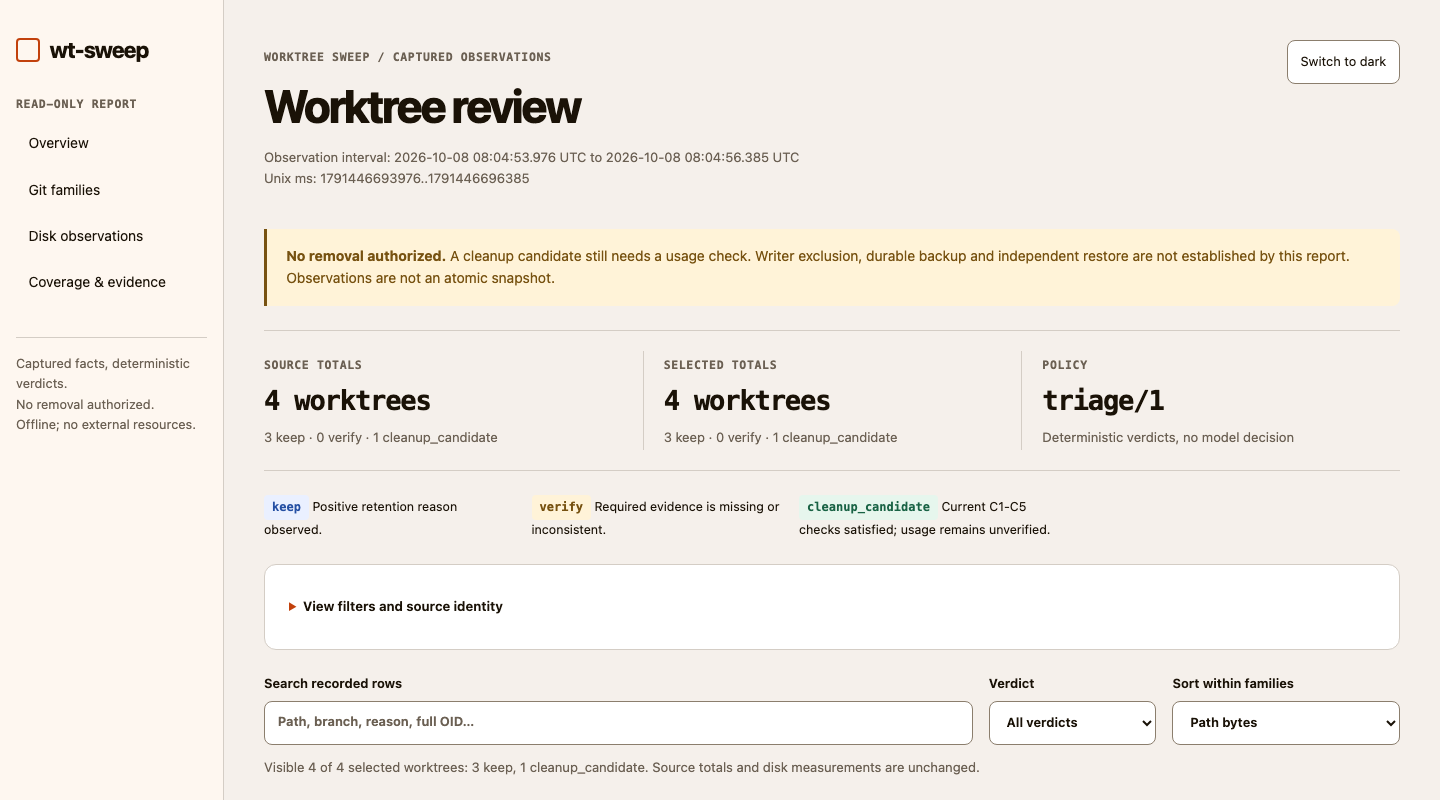
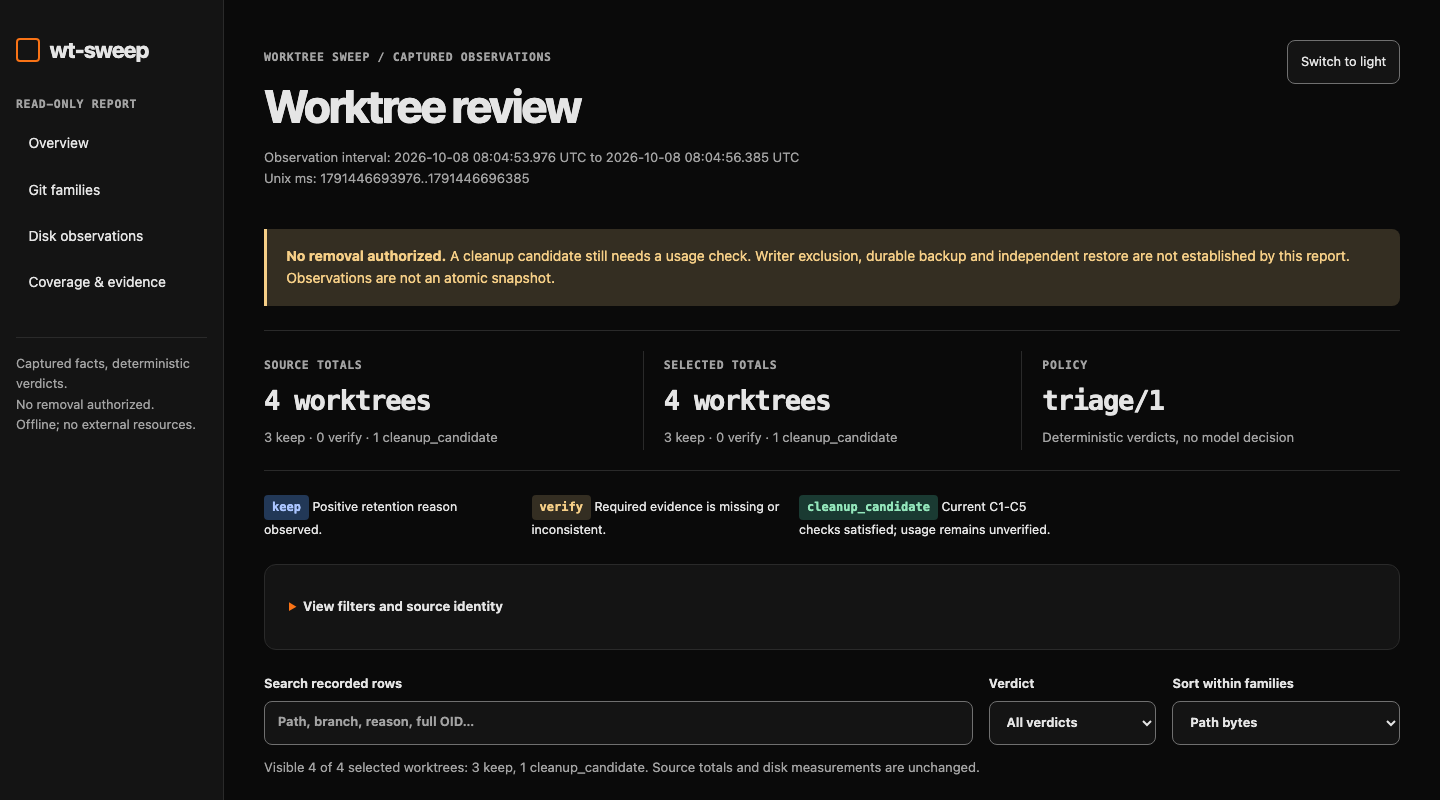
Open the HTML report to find a Git family, read its verdicts and inspect the evidence in its detail sections.
Search or copy paths, filter verdicts and sort worktrees by measured size.
Files, index, history, missing conditions and collection gaps remain readable.
Source review, CLI selection and browser filters are separate views.
Synthetic fixtures only. Dated captures do not demonstrate later disk targeting or discovery checkpoints. Capture record
03 / THREE VERDICTS
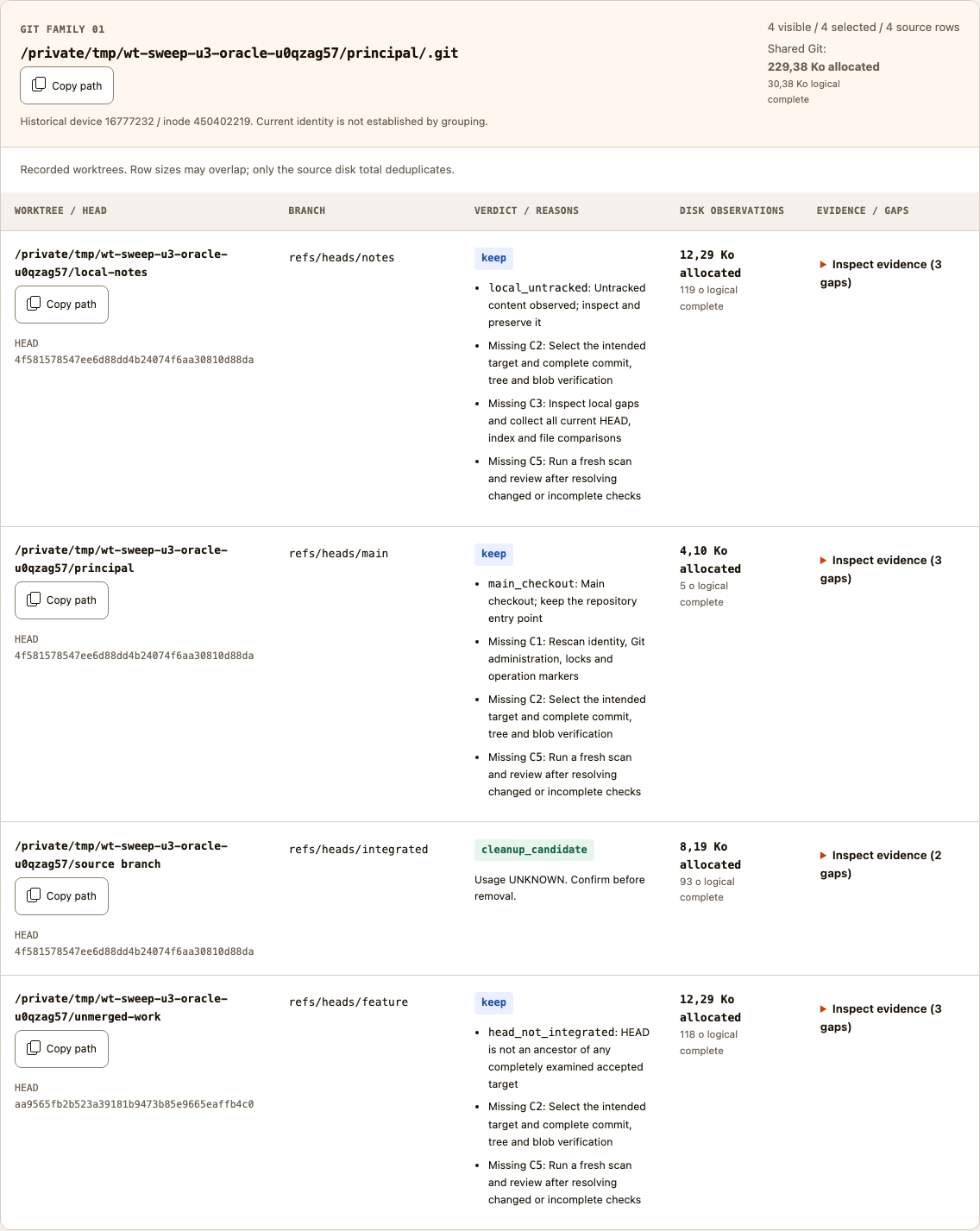
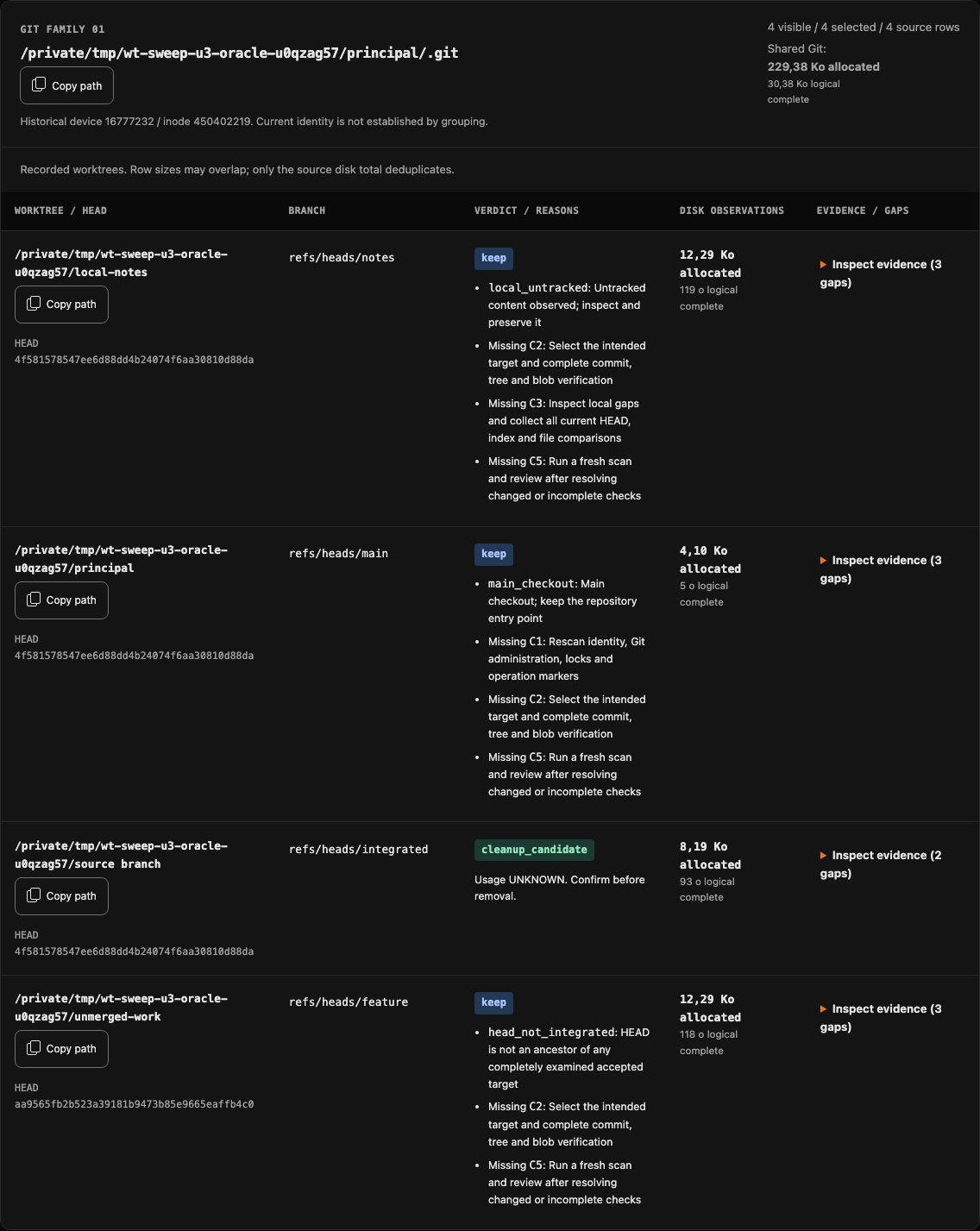
Deterministic rules judge the collected evidence. Age, a closed PR or an AI suggestion do not prove integration.
Observed work or a retention reason takes priority: local edits, untracked files, private commits or the main checkout.
Next: preserve and understand this work.
One or more decision conditions are missing. The report names the gap instead of treating unknown evidence as empty.
Next: follow the missing condition and focus the next review.
The current C1–C5 conditions are established. This is a candidate for a later decision, with usage still to check.
Next: check agents, terminals and tasks that still need it.
No verdict authorizes removal. apply remains unavailable. Read the decision conditions
04 / THE WORKFLOW
Explicit roots and confirmed full integration refs. No guessed default branch.
Run review. Add disk measurement when it helps prioritize. Budgets stay finite.
Inspect verdicts, coverage and next checks. Keep JSON and the receipt alongside HTML.
Narrow Git evidence with --worktree and disk scope with --disk-root. Their budgets are separate.
05 / GET STARTED
Build from source and run the documented demo to see how a local note changes the verdict.
From the wt-sweep checkout, with the pinned Rust toolchain. (1.95).
Download the Apple Silicon alpha →
Or build from source:
cargo fetch --locked
cargo build --release --locked --offline
./target/release/wt-sweep --versionThe first command downloads locked dependencies; skip it when they are cached. The public repo can be cloned over HTTPS.
Installation and prerequisites →Open your session in the wt-sweep checkout containing the bundled skill. The CLI remains the source of verdicts.
$wt-sweep Start with the disposable demo in docs/getting-started.md. Verify the compiled CLI, run only the temporary fixture, then read its HTML report. Explain keep, verify and cleanup_candidate. Preserve unknown evidence and distinguish measured size from recoverable disk space. Do not scan my machine or delete anything.Codex: $wt-sweep. Claude Code: /wt-sweep. Native discovery depends on the client and project trust.
Assistant guide →06 / EVIDENCE BOUNDARIES
A completed walk is not a machine-wide snapshot. A successful command can still contain partial evidence.
Read coverage and limits →Disk totals include shared storage and report incomplete measurements. APFS allocation is not an estimate of bytes freed by deletion.
Writer exclusion, durable backup and independent restore still need their own proof. Until then, apply refuses.
07 / FAQ
Current source version : 0.1.0-alpha.3.
Download the Apple Silicon alpha.
No. The current CLI discovers, measures and reviews. apply refuses every request. Backup, restore and removal are unavailable.
No. The CLI and offline HTML report work without a model, daemon or GitHub/GitLab credentials. Claude Code and Codex can help read the same evidence.
No. Logical and allocated bytes are observations. APFS clones, shared Git objects, snapshots and incomplete coverage prevent a reliable recovery estimate.
A clean working directory is only one condition. Targets, complete local evidence, private history and current controls may still be missing.
Download the Apple Silicon alpha and verify SHA256SUMS, or build the public source checkout with the pinned Rust toolchain. The installation guide covers both paths.
wt-sweep
Start with the demo. Then choose your roots and targets.